Android App Development: Kotlin, Jetpack Compose and Google Play
How we build Android apps with Kotlin and Jetpack Compose, handle device fragmentation across the whole device range, and ship reliably through Google Play.

Android app development is mostly about respecting range. The same app runs on flagships and budget handsets, on tablets and foldables, and on phones whose manufacturers tuned memory and battery management their own way. It has to feel fast and trustworthy on every one of them. In many markets, Android is also the platform most of your customers carry.
What we aim for is a Kotlin codebase built with Jetpack Compose on a clear architecture. It gets tested on the devices your users actually own, it ships through Google Play with staged rollouts, and its crash and ANR rates stay healthy after launch. This article covers how we build that, and where the platform’s rough edges are.
What we build on Android
We build Android apps for companies that are moving a service from offline to online, from desktop to mobile, or from one channel to several. The work usually looks like one of these:
- Consumer apps that connect a business with its customers for booking, ordering, account management and support.
- Marketplaces and service platforms where both sides of the market use Android.
- Companion apps for IoT hardware. Android’s Bluetooth and background work APIs do most of the heavy lifting there.
- Payment and banking apps, including NFC features, which Android has long made available to developers.
- Field and enterprise apps on managed or rugged devices, sometimes with a built-in barcode scanner or a locked-down kiosk mode.
- An Android version of a product that only exists on iOS today.
Kotlin, Jetpack Compose and a clear architecture
We write new Android code in Kotlin, which Google recommends as the primary language for the platform. Null safety removes a whole class of crashes, and coroutines with Flow make asynchronous code far easier to read. If you already have a Java codebase, that’s fine. The two languages interoperate, so conversion can happen file by file as code gets touched, with no risky rewrite.
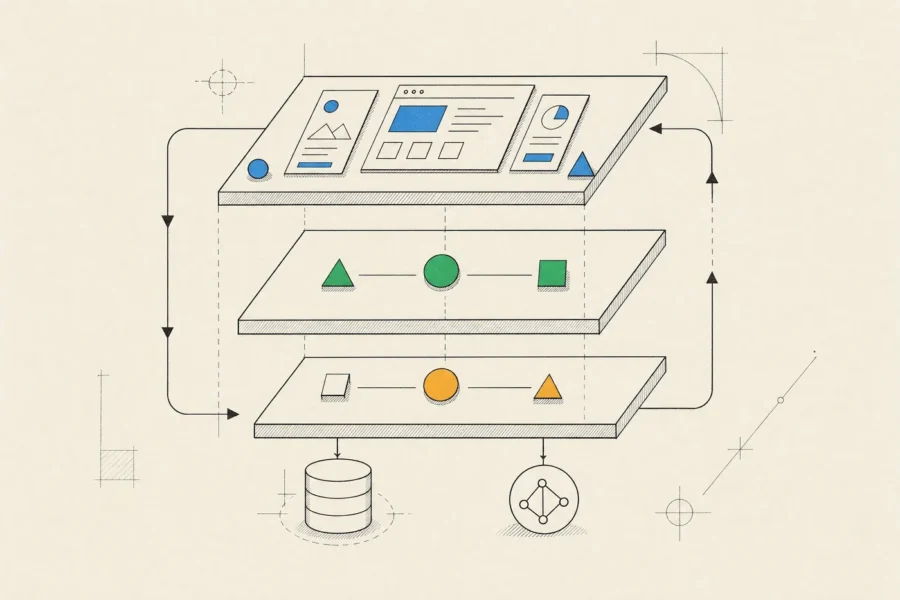
UI is built with Jetpack Compose, Android’s declarative toolkit. Screens need less code than the old XML views did, previews shorten the design loop, and a custom design system is much easier to build than it was with themes and styles. Compose and Views interoperate in both directions, so an older app can adopt Compose one screen at a time. Two habits save a lot of pain later. We watch for unnecessary recomposition, which is the usual cause of janky Compose screens. And we only measure performance on release builds, because debug builds of Compose run much slower than what users get.
Underneath, we follow the layered architecture Google recommends. The UI layer is composables and ViewModels that expose immutable screen state, with events flowing in one direction. The data layer is made of repositories that hide whether data comes from the network, a Room database or DataStore. When several screens share the same business rules, those go into an optional domain layer between the two.
Around that we use Hilt for dependency injection, Retrofit or Ktor for networking, and WorkManager for background work that has to survive the app being closed or the phone restarting. The Gradle build is split into modules, which keeps builds fast and gives each feature a clear owner. For a small app, some of this is overkill. A single module with manual dependency injection is a legitimate choice, and if that fits your app, we’ll say so. If you also ship on iOS, Kotlin Multiplatform can share the data and domain layers while each platform keeps its own native UI.
Designing for the whole device range
Fragmentation is real, but it’s manageable once you treat it as a set of decisions instead of a vague fear. These are the ones we make explicitly on every Android project:
- Every older Android version you support adds users and adds compatibility work. We set the minimum from your market and your analytics, not from habit.
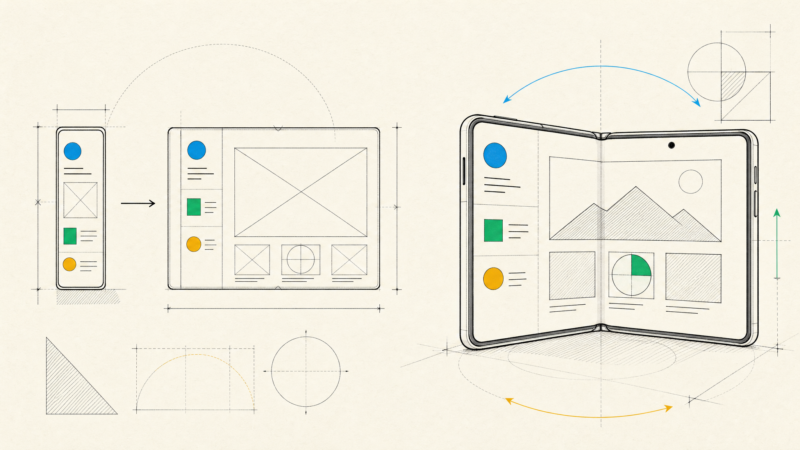
- Layouts adapt to window size classes, so the same app works on a small phone, a foldable in either posture, a tablet and a ChromeOS laptop. Newer Android versions increasingly ignore orientation and resizability locks on large screens, and a portrait-only phone layout is no longer a safe assumption.
- Recent versions draw apps edge to edge and animate predictive back gestures, so handling insets and back navigation correctly is now baseline work.
- Some manufacturers stop background work aggressively to save battery. We rely on WorkManager and correctly declared foreground services and test on the brands that dominate your market, which is how you avoid notifications that never arrive and syncs that never run.
- Low-end hardware, with limited memory and slower storage, exposes sloppy startup code. Baseline Profiles precompile the hot paths, R8 shrinks and optimizes the app, and an inexpensive phone is part of every release test.
On the testing side, emulators cover the spread of Android versions and a small set of physical devices covers manufacturer quirks. Before major releases, a cloud device lab such as Firebase Test Lab adds breadth. Screenshot tests catch layouts that break at large font sizes or unusual screen widths long before a user does.
Security, accessibility and performance
Android apps often handle payments, health data or access to physical devices, so we plan security along with the architecture. Our baseline:
- Keys and credentials live in the Android Keystore, with biometric confirmation through BiometricPrompt where it adds real protection.
- TLS everywhere, a network security configuration that forbids cleartext traffic, and certificate pinning only where you have a plan for rotating the pinned keys.
- No API secrets in the app package. Anything shipped in an APK can be extracted.
- A review of exported activities, services and receivers, since other apps can call them.
- The Play Integrity API to check for tampered apps and compromised devices, when fraud is a real risk.
- Data handling that meets GDPR and Turkey’s KVKK where they apply. For sensitive apps, the OWASP mobile standard (MASVS) is our checklist.
Accessibility on Android starts with meaningful semantics in Compose, so TalkBack reads each screen in a sensible order. Text is sized in scalable units so it respects the user’s font setting, touch targets are at least 48dp, and contrast has to hold up outdoors. We check with TalkBack and Accessibility Scanner during QA, not after launch.
We measure performance the way Google measures it: startup time, frame rendering, ANRs and crash rate, tracked in release builds and then in Play Console once the app is live. Macrobenchmark tests keep startup and scrolling from quietly getting slower between releases.
Shipping on Google Play
Google Play is more forgiving than the App Store in some ways and stricter in others. Every Android release we run gets the same setup:

- We publish under your organization’s developer account with Play App Signing enabled. An organization account needs a D-U-N-S number, but it avoids the closed-testing requirement that newer personal accounts must meet before publishing to production.
- Releases ship as Android App Bundles, so each device downloads only what it needs. Your team gets every build on the internal testing track, and closed and open tracks bring in real users before production.
- Production releases go to a small share of users first and widen while crash and ANR rates stay healthy. If a release turns out to be bad, we can halt it before most users ever see it.
- The Data safety form, the content rating and declarations for sensitive permissions such as background location are prepared alongside the build, not the night before. Google also raises the required target API level on a regular schedule, so even a stable app needs a yearly update.
- Play Console reports crash and ANR rates, and poor numbers can make your app less visible on Google Play. We treat them like product metrics.
- The listing gets a clear title and short description, plus screenshots that actually show the product. We use the in-app review API to ask satisfied users for a rating at the right moment, but ranking well on Google Play still starts with an app that earns good reviews.
How we approach Android app development
Discovery starts with your market. We look at which devices and Android versions your customers use and which manufacturers dominate, and we pin down the permissions the product really needs, since some of them trigger extra review on Google Play. The analytics events get agreed up front too, so you can measure what the app achieves instead of guessing.
Design adapts your brand to Android’s conventions: system back, Material components where they help, and large-screen layouts decided on purpose rather than discovered in QA. Engineering is iterative, and every iteration ends with an installable build on the internal testing track that QA tests on the device matrix agreed in discovery.
You can bring us in as a dedicated product team (a business analyst, a designer, Android engineers, QA and a backend engineer when needed) or for a focused engagement, such as adding Android to an existing iOS product or modernizing an older Java and XML app. However we’re engaged, the code sits in your repository and the app in your Play Console, and you get regular demos and written reports.
Native Android isn’t always the right call. If you need iOS as well and the app is mostly screens over an API, a single React Native codebase is often better value. Products that depend on deep device capabilities across both platforms are a different case, covered in native mobile app development. And if you mainly need reach, Android is the friendliest platform for installable web apps; our piece on HTML5 app development covers that route.
Frequently asked questions
Should we use Jetpack Compose or XML views?
Compose for anything new. In an existing View-based app, adopt Compose screen by screen as features change. Rewriting working screens all at once rarely pays for itself.
Our app is written in Java. Do we need to rewrite it?
No. Kotlin and Java work side by side in the same project. New code goes in Kotlin, and older code gets converted when it’s being changed anyway, with tests around it.
What is the oldest Android version we should support?
Whatever your data justifies. Check which versions your customers actually run, then weigh the users an older minimum adds against the compatibility work and testing it costs.
How long does Google Play review take?
Anywhere from a few hours to several days. First submissions, new developer accounts and apps that request sensitive permissions tend to take longer, so we plan releases with that buffer instead of promising a date that depends on someone else’s queue.
Can you build the Android version of our iOS app?
Yes. We reuse your backend and product decisions, adapt the design to Android conventions instead of copying the iOS screens, and agree a plan for keeping the two apps at feature parity.
If you’re planning an Android app or inheriting one that needs work, send us a short brief and whatever you know about your users’ devices, and we’ll reply with how we’d approach the build.